
 Print
Print
|
|
|


Using the Content Library Editor
To specify the text and HTML content for a content item, you can use either the Content Library Editor or the Advanced Editor. You can enter content in the Content Library Editor or create it in another editor and paste it into the Content Library Editor.
To use the Content Library Editor:
- Do one of the following:
- Click New to create a content item.
- Click the content item to edit.
- Click Clone while editing a content item.
- Click Text to enter text content.
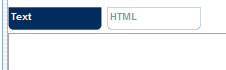
- Enter or paste the text content into the text area.
- (optional) Click Preview to see how the text content appears.
- Click HTML to enter the HTML content.

- Enter or paste the HTML content into the text area.
- (optional) Click Preview to see how the HTML content appears.
- Click Save.
Print