
 Print
Print
|
|
|


Getting a List of Users
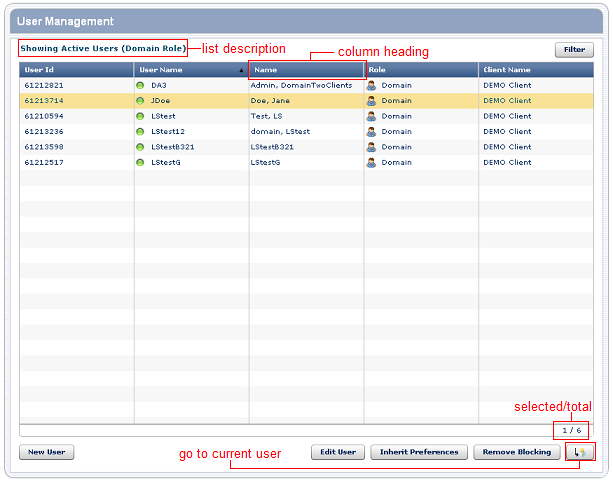
When you start User Management, a list of users appears. The list includes each user's unique ID, user name, full name, and role.
To... |
Do this... |
Sort the list |
Click the column heading by which you want to sort. For example, to sort by name, click Name. To sort in reverse order, click the column heading again. |
Narrow the list of users by status and role |
Click Filter. |
Click New User. |
|
Change the information or permissions for an existing user |
Click Edit User. |
Use the same preferences for this user as for another user |
Click Inherit Preferences. |
Print