


|
|
|
|
|
|
You can use the Administration Tools to connect to a database using vsql on any node in the cluster.
If you are not on the  Administration Host, or if you are not logged into the Database Administrator account, you can use Connect to Database but do not perform any other administrative tasks such as configuration.
/opt/vertica/bin/adminTools
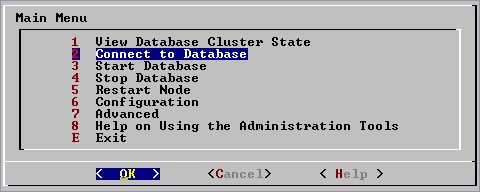
Password:
The Administration Tools maintain a session context with regard to password authentication. In other words, you are required to enter a password for a database once per Administration Tools session. If you enter it correctly, you will not be asked to enter it again until the next time you run the Administration Tools. If you enter an incorrect password you must exit the Administration Tools and run it again.
vsql.Welcome to the vsql, Vertica_Database v2.1.GA interactive terminal.
Type: \h for help with SQL commands
\? for help with vsql commands
\g or terminate with semicolon to execute query
\q to quit
Stock_Schema=>